
Less scrolling.
More locking in.
The aesthetic study timer that gets you off your phone. Combines a minimalist Pomodoro clock, offline ambient sound mixing (Deep Rain, Cafe, Campfire, Brown Noise), and a physical “Flip to Lock In” gesture that silences distractions instantly.

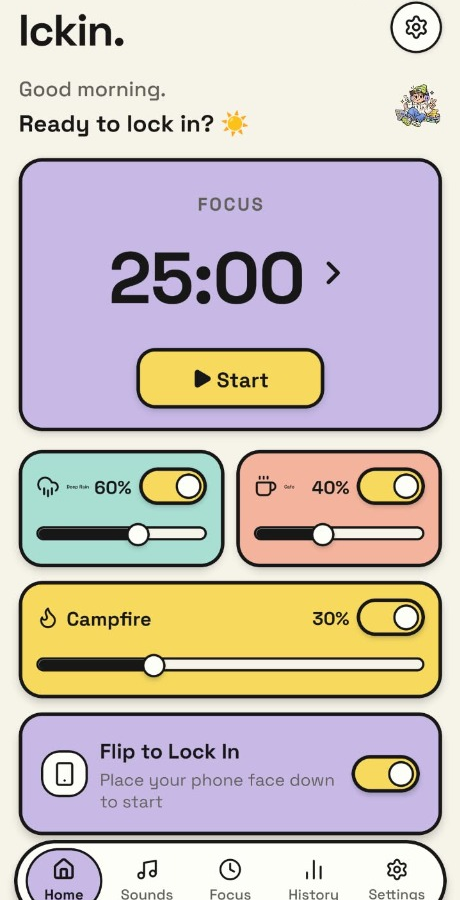
Everything You Need to Lock In.
Nothing to Distract You.
Most productivity apps keep you in the app to boost their screen time metrics. lckin is engineered with one metric in mind: your uninterrupted focus.
Minimalist Pomodoro Engine
Tailor your sessions to how your brain works: Classic 25/5 Pomodoro, 50/10 Deep Work, Animedoro (40m study + 20m episode), or completely custom focus intervals.
4-Channel Ambient Mixer
Mix Deep Rain, Cozy Cafe, Campfire, and Brown Noise simultaneously. Works offline in flights, subways, or low-signal campus libraries.
Flip to Lock In
Place your phone face-down on your desk to automatically trigger your study session. The physical gesture trains your brain to enter focus mode.
Zero Ads. Zero Tracking.
No third-party trackers, no interstitial video ads right before an exam, no artificial streaks designed to guilt-trip you.
Ultra-Low Battery Drain
Engineered in lightweight native Kotlin. True OLED dark mode and zero background internet pings mean you can study for 8 hours on a single charge.
Offline Ambient Sound Mixer.
Zero Wi-Fi. Zero Interstitial Ads.
Streaming playlists drain your phone battery and pull you into notifications. lckin lets you craft your own cognitive soundscape on-device.
4-Channel Sound Studio
In-App FeatureSeamlessly blend all four tracks to discover your ideal study flow state
Deep, smooth low-frequency rumble that cancels mind chatter & library distractions.
Continuous soothing precipitation with soft distant thunder undertones.
Subtle espresso machine hums and warm ambient background coffee shop warmth.
Gentle timber crackles and glowing hearth atmosphere.
Flip to Lock In.
Zero buttons. Pure instinct.
Willpower is weak; physical friction is unstoppable. When you put your phone face-down, lckin detects the gesture and starts your session automatically.
Choose Your Study Session
Select your interval (classic 25m Pomodoro, 50m Deep Work, or custom study block) and pick your ambient audio mix.
Turn Phone Face-Down
Hero FeatureThe moment your phone lies face-down on your desk, built-in proximity & gravity sensors trigger your session. No clicking required.
Zero-Distraction OLED Lock
The screen dims completely to conserve battery. Notification popups are blocked. If you pick the phone up prematurely, lckin gently nudges you to stay on task.
Why Students Struggle to Focus.
And How lckin Fixes It.
You don't lack motivation. Your phone was intentionally engineered to steal your attention. lckin gives you back control.
The Doomscroll Loop
Studying with default phone appsChecking your phone 'just to look at the time' and ending up 40 minutes deep in TikTok reels.
Streaming music from Spotify or YouTube where algorithms constantly distract you with recommended videos.
Setting a timer on social apps where push notifications break your train of thought every 4 minutes.
Feeling guilty at the end of the day because your phone battery died and your assignments aren't finished.
The lckin Routine
BetterPlace phone face-down: gravity and proximity sensors lock in your session with zero tap temptation.
Offline 4-channel sound mixer: Deep Rain and Brown Noise play on-device without internet or ads.
True OLED blackout display: dims the screen completely, keeping your desk peaceful and battery fresh.
End your study day with tangible focus momentum and actual finished coursework.
Clean, Calm, and Intentional.
Every Pixel Designed to Focus.
No clutter. No flash. Just a thoughtfully crafted interface that gets out of your way so you can get your best work done.
Aesthetic countdown with quick Start button and ambient audio faders.
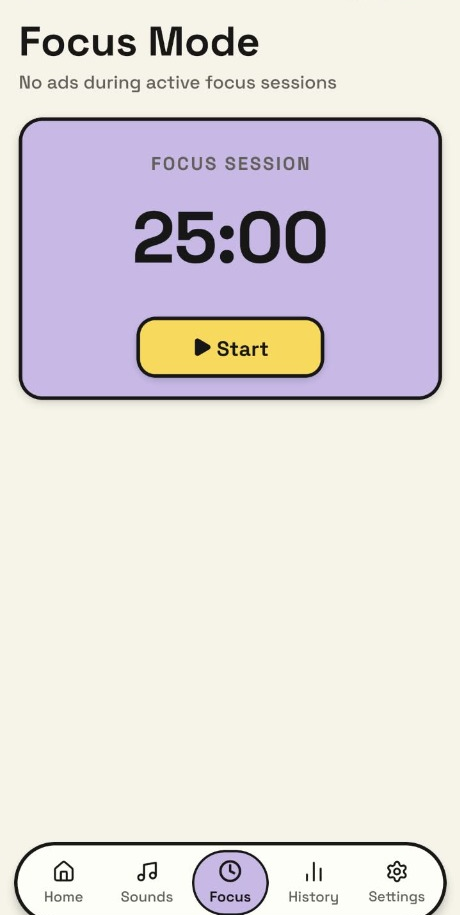
Zero-distraction study mode with no ads during your focus intervals.
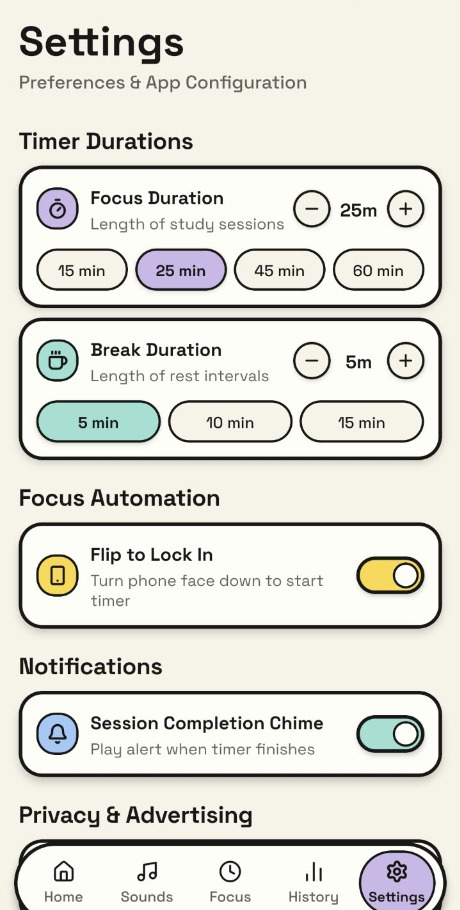
Customize Pomodoro study & rest blocks plus Flip-to-Lock automation.
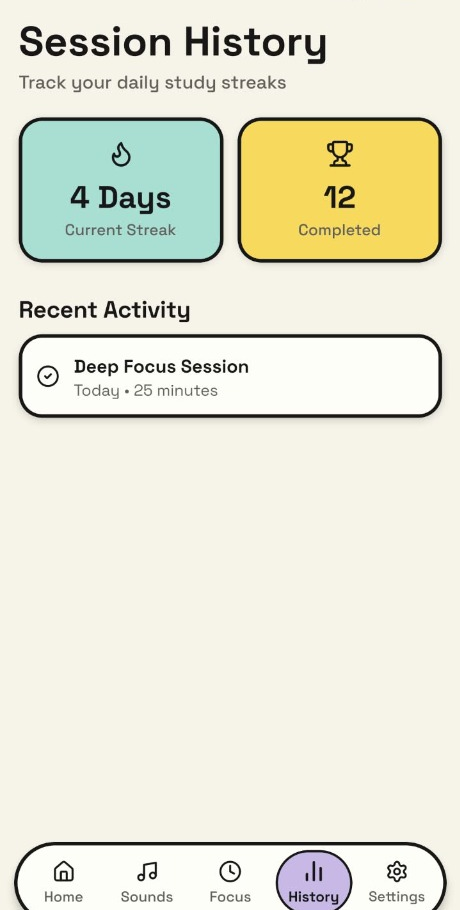
Visual streak tracker and session log stored privately on-device.
All 4 phone frames have pre-calibrated slots ready to accept your high-res screenshots anytime!
Frequently Asked
Questions
Everything you need to know about lckin, the offline sound mixer, and the Flip to Lock In gesture.
Ready to stop scrolling
and start locking in?
Download lckin on your Android device today. Mix your favorite ambient soundscapes, flip your phone face-down, and unlock the focus you're capable of.